Let’s talk about something every blogger, business owner, or content creator obsesses over: WordPress and SEO. You’ve heard the hype – “WordPress is SEO gold!” – but when you dig in, it’s all vague plugin plugs and no real why. Truth bomb: The magic isn’t in some wizardly tool; it’s in WordPress’s rock-solid foundation as an open-source CMS. Think clear content blueprints, tweakable URLs, spider-friendly crawl paths, and a theme/plugin playground that’s endlessly expandable.
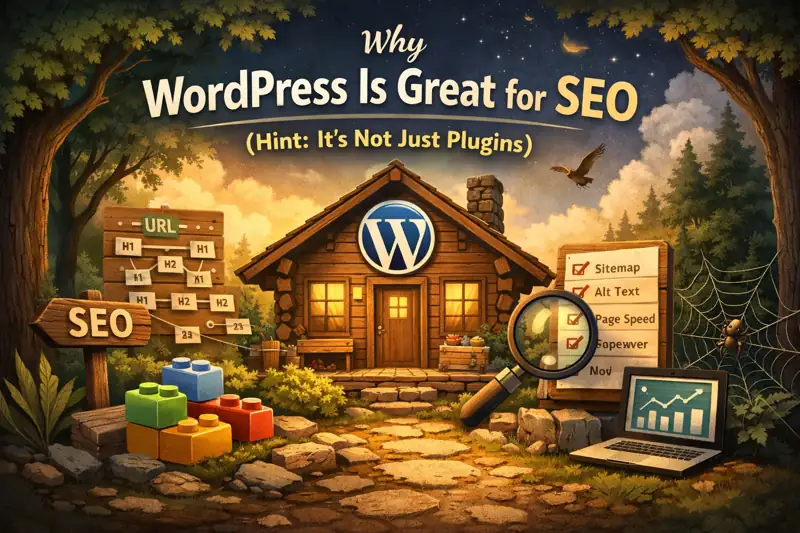
Picture your website like a cozy cabin in the woods. SEO isn’t slapping on solar panels – it’s the sturdy beams, smart wiring, and open layout that make it energy-efficient and inviting. WordPress hands you those blueprints on a silver platter, saving you hours of grunt work. In this guide, we’ll break down the nuts and bolts of why it’s a SEO powerhouse, spotlight the spots worth your sweat, and drop a dead-simple checklist. By the end, you’ll be tweaking like a pro, watching your traffic climb. Let’s dive in – coffee in hand?
1. Why Is WordPress an SEO Superstar? It Starts with Open-Source CMS DNA
Forget the fluff: WordPress earns its SEO street cred not from a “rank me now” button, but from its open-source CMS roots. That means a crystal-clear content model, URLs you call the shots on, themes and plugins that snap together like LEGO, and built-in tricks that make search engines drool over your site.
These bones make SEO feel less like rocket science and more like tuning a guitar – predictable tweaks for big harmonies. Once you get the structure, you’ll zero in on high-impact changes that stick. Ready to unpack?
2. Open-Source CMS 101: Your Three Big Wins in Three Minutes Flat
New to this? CMS stands for Content Management System – basically, the engine under your site’s hood for creating and organizing stuff. Open-source ones? They’re like free community cookbooks: Core recipes (code) are public domain, so anyone can peek, tweak, use, or share (as long as you follow the license, like GPL).
For us site builders, that’s three key benefits:
- Totally Auditable: Code’s an open book. With millions of eyes on it, bugs, security holes, or slowdowns get squashed fast by the crowd. No more sweating shady black-box surprises.
- Infinitely Expandable: Plugins and themes let you customize like crazy. Need e-commerce? Slap on WooCommerce. Crave a sleek look? Grab a theme. Your site grows with you, no code PhD required.
- Easy to Move: Standardized data means you’re not chained to one host. Switching servers or scaling up? It’s a breeze, not a nightmare.
So, how does this tie into SEO? At its heart, SEO is about making search engines go, “Whoa, this site’s content is gold – structured, fresh, and user-magnet.” Open-source CMS gives you the reins: Dial in URLs, heading hierarchies, sitemaps, schema markup, caching, and lazy-loading images. More control = smarter, lasting tweaks. Closed systems? You’re guessing in the dark. WordPress? You’re the boss.
3. WordPress: The Swiss Army Knife of Open-Source CMS – Why It’s Everywhere
Among the CMS crowd, WordPress isn’t the fanciest (Drupal’s for enterprise beasts), but it’s the ultimate base camp for content-driven sites. It smartly splits “stuff” (posts, pages, categories, tags, authors) from “style” (themes), then lets plugins pile on the power. Boom: Blogs, corporate hubs, knowledge bases, mags, even mini-shops or membership clubs. One tool, endless vibes.
Scale-wise? It’s a juggernaut. Fresh off W3Techs’ January 2026 stats, WordPress powers 43.0% of all websites and a whopping 60.2% of those with known CMS. That’s not luck – it’s a thriving ecosystem of themes, plugins, and battle-tested tips. Join the club, and you’re tapping into a treasure trove of SEO hacks others have paved the way for. Why reinvent the wheel when the road’s already smooth?
4. WordPress’s Built-In SEO Superpowers: Structure That Shines
Alright, the meat: How does WordPress’s wiring make SEO a slam dunk? We’ll slice it into bites, with real-talk tips you can apply today. These aren’t ivory-tower ideas – they’re levers for quick wins.
4.1 Crystal-Clear Content Structure: Headings and Semantic Tags That Crawlers Love
Search bots aren’t humans; they’re like eager librarians scanning shelves. WordPress’s Gutenberg block editor is a dream: Snap in headings, paragraphs, lists, quotes – clear semantic structure. Way better than a wall-of-text novel.
Two Rules to Live By:
- One H1 Per Post: Lock the main title as H1; use H2s and H3s for sections. It’s like outlining a road trip – clear stops, no detours.
- Lists for the Win: Ditch numbered paragraphs; bullet or number your steps. Scannable for readers, indexable for bots.
Example: A “Best Home Workouts” post? H2 for “Gear You’ll Need,” bulleted list of dumbbells and mats. Google thinks, “Solid, actionable stuff – promote!”
4.2 URLs You Control: Short, Sweet, and Searcher-Friendly Paths
A killer URL is your site’s address – punchy, descriptive, memorable. WordPress’s Permalinks (Settings > Permalinks) lets you ditch ugly “?p=123” for gems like “/category/post-slug.”
Beyond organization, categories and tags signal to Google that your site is an authority in a niche. Well-structured categories build topical clusters (e.g., “SEO > On-Page Tactics”), boosting domain relevance. Tags add fine-grained indexing without clutter—use them to reinforce themes, not create duplicates.
Pro Picks:
- Posts: Keep it lean – “/keyword/” for small sites, “/topic/keyword/” for bigger ones. Skip dates/IDs; they’re not forever.
- Categories: Layer by theme, like “Tutorials > WordPress > SEO.” No keyword stuffing – quality over quantity.
- Tags: Treat ’em like spice – sparingly. Overdo it, and you spawn thin pages that dilute your site’s mojo.
Add breadcrumbs (Yoast plugin FTW) for that “you’re not lost” vibe – users and crawlers thank you.
For a quick visual on what works (and what doesn’t), here’s a side-by-side:
| Scenario | Bad URL Example | Why It’s Bad | Good URL Example | Why It’s Good |
|---|---|---|---|---|
| Blog Post | example.com/?p=12345 | Opaque, no context; hard to share or remember. | example.com/seo/wordpress-tips-2026 | Descriptive, keyword-rich, user-friendly. |
| Category Page | example.com/category/seo-stuff-1/ | Vague, implies disorganization; thin content risk. | example.com/guides/wordpress-seo | Hierarchical, signals authority; easy to crawl. |
| Tagged Archive | example.com/tag/long-winded-keyword-phrase/ | Too long, duplicate signals; low authority. | example.com/tag/seo-essentials | Concise, targeted; supports topical depth. |
4.3 Crawlability on Point: Sitemaps and Robots.txt Team-Up
Bots gotta find your pages first! Since version 5.5, WordPress auto-generates XML sitemaps (hit yoursite.com/wp-sitemap.xml). It’s your site’s table of contents: “Fresh URLs here, boss!”
Four-Step Rollout:
- Pop it in your browser – green light if it loads clean.
- Submit to Google Search Console or Bing Webmaster Tools.
- Tweak robots.txt (yoursite.com/robots.txt) wisely – guide crawls, don’t block goodies.
- Level up with Rank Math for image/video sitemaps.
Outcome? New content indexed in days, not weeks. Traffic tsunami incoming.
4.4 Images and Media: Alt Text as Your Secret Weapon
Pics aren’t just eye candy – they snag Google Image traffic and boost accessibility. WordPress’s media library makes it dummy-proof: Upload, swap, tag with Alt.
Alt Text Hack:
- Describe + Connect: “Steaming latte with foam art, perfect for your at-home barista setup.” Ties back to the post.
- No Keyword Spam: Make it readable, not robotic.
- Ditch External Links: URL embeds? Risky if they break. Upload local or swap via plugins – dead images kill user trust and load times.
Sprinkle in visuals, and your post jumps from meh to magnetic – dwell time soars, rankings follow.
4.5 Structured and Scalable: Themes, Plugins, Fields – Build Your Content Empire
Solo posts are fine for starters, but scaling? You need templates, custom fields, and aggregators. WordPress keeps it tidy:
- Themes Handle Looks: Go Astra for SEO smarts – fast loads, schema-ready. In 2026, with Google’s indexing fully mobile-first, responsive design isn’t a bonus; it’s table stakes for survival. Every theme should adapt seamlessly to devices, or your site gets sidelined. Pair it with Core Web Vitals (CWV) focus: Largest Contentful Paint (LCP) under 2.5s, First Input Delay (FID) near zero—these metrics are WordPress admins’ top headache but biggest ranking lever. Use tools like PageSpeed Insights to audit. View the Toolbox Page – Essential Tools Every Webmaster Needs.
- Plugins Pack Punch: WP Rocket for speed, Smush for image crunching, Yoast for structured data (JSON-LD tells bots “This is a FAQ page!”).
- Custom Fields Add Depth: ACF plugin for extras like “Skill Level” or “Last Updated” – turns flat text into rich hubs.
Scale up, and your site becomes a web of interconnected gold – inner links galore, bots hooked.
4.6 Internal Linking: Lock in Traffic with WordPress’s Native Edge
WordPress’s post-and-page architecture is built for internal linking—one of SEO’s heaviest hitters. It distributes page authority, guides crawlers to key content, and keeps users clicking deeper (reducing bounce rates).
Quick Wins:
- Related Articles Widgets: Plugins like Yet Another Related Posts Plugin auto-suggest at post bottoms—match by tags/categories for relevance.
- Manual Anchors: In Gutenberg, hyperlink phrases like “Learn more about URL tweaks here” to pillar pages. Aim for 3-5 per post.
- Menu and Sidebar Magic: Use nav menus for high-level links; sidebars for evergreen hubs.
Result? Site-wide flow that “traps” value—traffic stays yours, authority compounds.
5. Your Plug-and-Play WordPress SEO Checklist: Pre-Publish Power Moves
Theory’s cool, but action wins. Print this bad boy and checklist every draft – dodge the “wrote it, but it flops” trap:
- Headings on Fleek? Single H1, snappy paragraphs (3-5 sentences max).
- URL Clean? No junk params; reads like a headline.
- Alts Locked In? Hero image + keys all tagged.
- Sitemap Set? Loads fine + submitted to consoles.
- Speed Check? GTmetrix says under 3s load; no hero-image hogs.
- Thin Content Trap? Tags/cats under 300 words? Merge or noindex ’em.
Five minutes = months of smooth sailing. Your indexing game’s about to level up!
6. SEO Pitfalls: Why Your “Optimizations” Aren’t Moving the Needle
You’re tweaking away, but rankings snooze? Classic traps:
- Keyword Overload: Titles scream sales (“Epic WordPress SEO Hacks – Guaranteed #1!”), body lacks meaty steps. Fix: User-first – weave words naturally, deliver “copy-paste” value.
- Category/Tag Chaos: Dozens of ghost pages? Google dings quality. Trim to 20-30 stars; audit quarterly.
- Hotlinking Roulette: External images flake? Page craters. Go local, stat!
- Siloed Content: No inner links? Bots wander lost. Weave “Related Reads” – build that authority web.
Sidestep these, and watch the magic unfold.
Wrapping Up: SEO’s a Structure Game, Not a Plugin Party
WordPress’s SEO edge? Pure open-source muscle: Structured, controllable, expandable. It flips you from “hoping for ranks” to “crafting a crawler magnet.” Nail the frame – semantic content, slick URLs, easy crawls – then layer on the rest. Results? Rock-steady, not flash-in-the-pan.
Fellow WordPress wranglers: Start small – tweak one post today. Your site’s no one-off; it’s a traffic engine and reader hub. Optimize smart, and it’ll fuel your hustle for years.